Create
Design and animate anything, at speed.
Start from a one-click preset or build it frame by frame with keyframes, masks and effects. It all runs in your browser, with nothing to install.
-
Real-time canvas
Scrub, play and edit with instant feedback. No previews to render, no waiting.
-
Vector editing
Draw shapes, paths and type directly on the canvas. Every layer stays sharp at any size.
-
Local and cloud rendering
Export on your own machine for free, or render in the cloud for high-resolution output at volume.
Text animations
Full control over characters, words and lines, powered by a real text engine. Stack animations to build unique titles in seconds.
Motion presets
Animate any layer in one click. Stack presets from a growing library and tune each one until the motion feels like yours.
Presets library
Browse every animation in one place and see each one play live on your canvas as you try it. Found the right one? Drop it straight onto your layer.
-
Effects
Blur, glow, distort and more. Every effect runs on the GPU, so it updates the moment you change a value.
-
2D camera
Pan, zoom and glide across your whole scene with a camera layer, without moving a single layer.
Timeline
Animations live on the timeline as chips you can move and trim, so effortless motion is a drag away. When you need more control, keyframes and easing curves are a click away.
Expressions
For power users. Link properties together and drive them with a line of code. Loops, wiggles and maths, no keyframes needed.
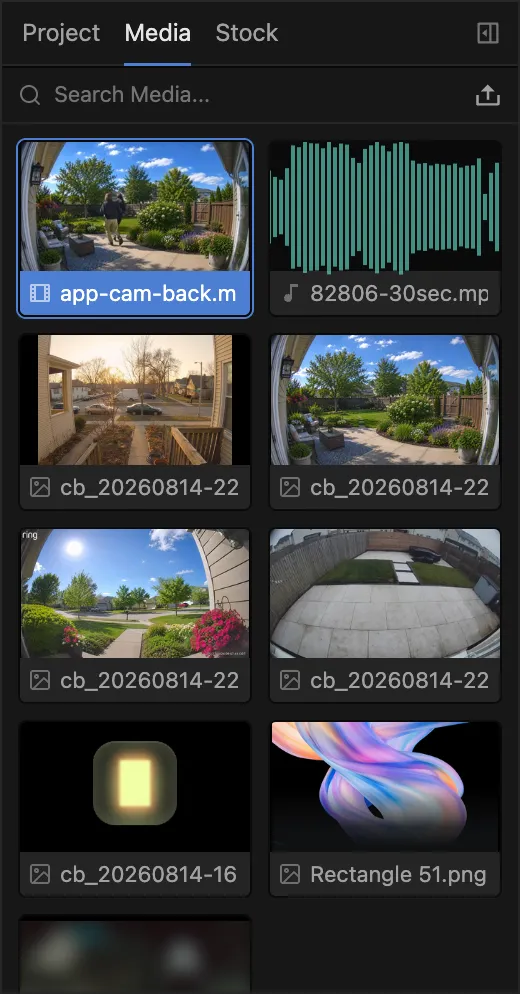
Media library
Drop in video, images, audio and fonts, then drag them straight onto the canvas.
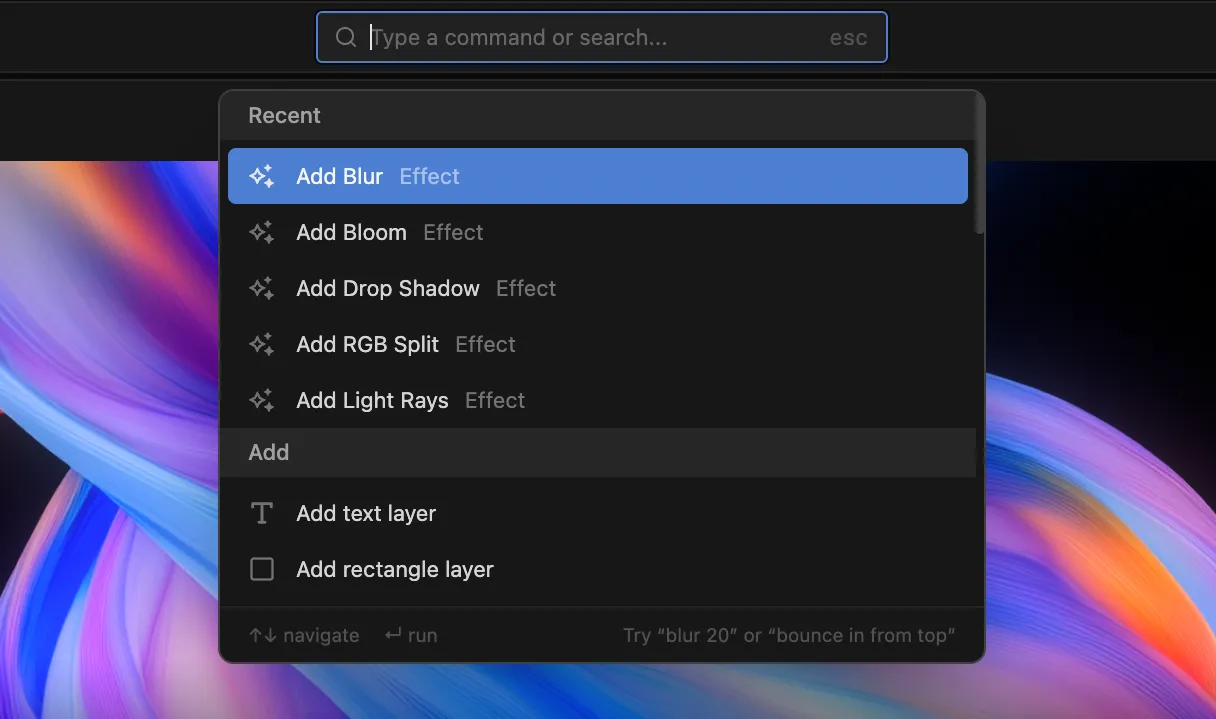
Command menu
Search every layer, effect and action from one place and run it without touching the mouse. Add an effect, jump to a layer or fire any command in a few keystrokes.
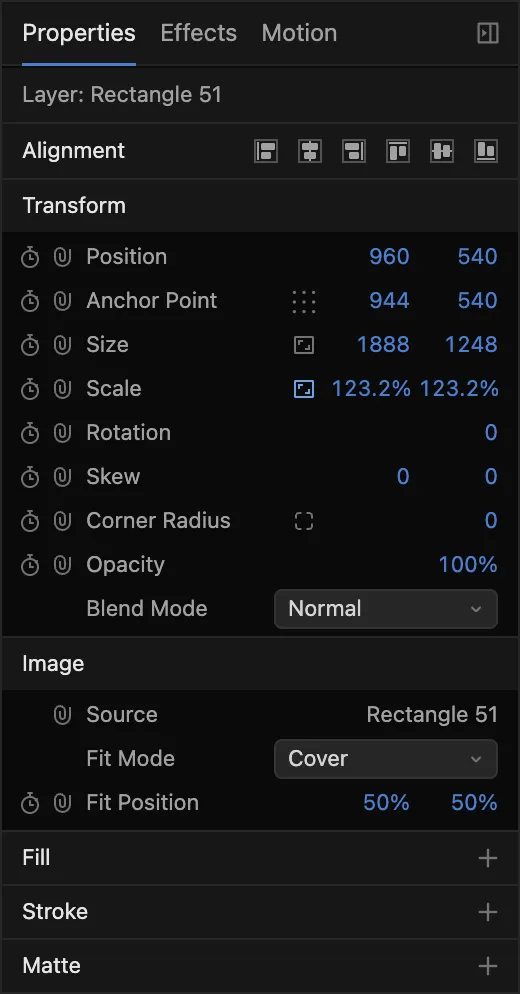
Properties panel
Every transform, effect and control for the selected layer, with a keyframe one click away.
And everything else you’d expect
-
Keyframes and easing
Bezier curves, holds and a live preview of every ease.
-
Rich text
1,200+ Google Fonts, styled down to a single letter.
-
Media and stock
Video and images, plus free stock photos and footage from Pexels.
-
Audio
Add music, voiceover and sound effects to any composition or sequence.
-
Unlimited exports
MP4 or WebM, up to 4K on paid plans, rendered on your own machine.
-
Starter projects
Start from a ready-made project and make it yours.
-
Masks and track mattes
Cut out, reveal and composite any layer.
-
Motion blur
Real motion blur on anything that moves.
-
Gradients and strokes
Gradient fills, dashed strokes and trim paths for draw-on lines.
-
Adjustment layers
Apply effects to everything beneath in one go.
-
Replace media
Swap any image or video in place and keep its animation.
-
Compositions and sequences
Nest compositions, then cut them together in a sequence.
FAQ
Do I need to install anything?
No. Edit Square runs in your browser. It draws every frame on your graphics card and encodes video inside the browser, so there is nothing to download or update.
Is Edit Square an alternative to After Effects?
For most motion graphics work, yes. If you know After Effects you’ll feel at home: compositions, layers, keyframes, expressions, masks, track mattes and adjustment layers are all here. The difference is that Edit Square opens in a browser tab, plays back in real time, and turns any project into a template your team can fill in or your code can render. Compare the two.
Do I need motion design experience?
No. Start from a ready-made project, animate any layer with a one-click preset and adjust it with simple controls. When you want more, keyframes, easing curves and expressions are there.
What can I export?
MP4 (H.264) or WebM (VP9) video, at up to 4K. Exports render on your own computer, so they’re unlimited on every plan. On the Free plan they’re 720p with a watermark. See pricing.
Which browsers does the editor work in?
Chrome, Edge and Firefox on a desktop computer: Mac, Windows or Linux. Use a current version of any of them and you are fine.
The editor draws every frame on your graphics card and codes video inside the browser, so it needs a browser that supports those APIs and a machine with a working graphics card.
Can I use the editor on a phone or tablet?
No. The editor needs a graphics card, a mouse and a keyboard, so it runs on desktop computers only. There is no mobile version planned.
Filling in a template form is different. Forms work on a phone, they just leave out the live preview: your answers submit normally and the video renders on our servers, so you can send a form to someone who only has a phone.
Why am I told to turn on hardware acceleration?
Your browser is drawing with the processor instead of the graphics card. Some machines have none to offer, but far more often the browser has hardware acceleration switched off in its settings, or a driver problem has disabled it.
We block this rather than let you carry on because software rendering is not simply slower. On several common drivers it produces wrong output: masks punch holes in the wrong place, effects come out corrupted, and the video you export does not match what you see.
In Chrome or Edge, go to Settings › System and turn on ‘Use graphics acceleration when available’. In Firefox, go to Settings › General › Performance, clear ‘Use recommended performance settings’ and turn on ‘Use hardware acceleration when available’. Restart the browser completely, then reload the editor.
Why does the editor say my window is too small?
The editor needs a window of at least 1000 by 600 pixels to fit its panels and timeline, and below that it covers itself rather than show you a layout you cannot work in. Nothing is lost: make the window bigger and you drop straight back into your project, still open where you left it.
I am on a supported setup and still cannot get in. What now?
Email us and say which message you saw. Detection is not perfect, and if we have turned away a machine that should work we want to know about it: we can let you through while we fix the check.
Start creating now.
Open the editor and design your first animation. No sign-up required.